Screenshots
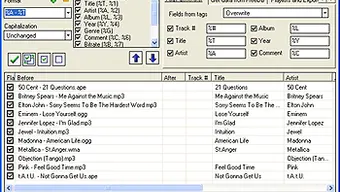

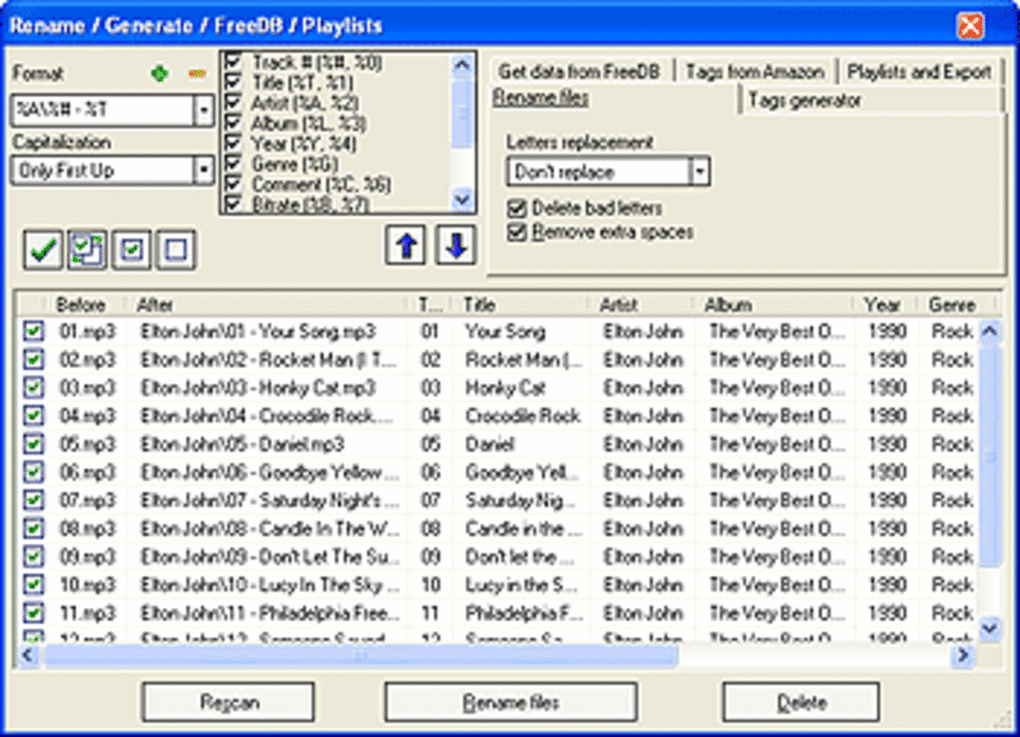
App details
- Version
- 5.6
- Size
- 3.07 MB
- Updated
- March 9, 2017
- Requires
- Windows XP
- Language
- English
- License
- Trial version
- Developer
- 1st-mp3-tag-editor
- Category
- Windows OS
SoftPas in:
This product is also available in the following languages:
About 1st MP3 Tag Editor
Download 1st MP3 Tag Editor – Free Windows ID3 Tag Editing Tool
Overview
If you own a growing music library and need a lightweight, no‑frills solution to keep your MP3 metadata tidy, 1st MP3 Tag Editor is worth a closer look. First released in the early 2000s and still available as a trial version, this Windows‑only program specializes in editing ID3 tags—artist, album, genre, year, track number, and more—so that every song displays correctly in media players and portable devices. The current build, version 5.6 (released on 12 June 2007), runs on Windows 98 and earlier versions, making it an excellent choice for legacy systems that cannot handle modern, resource‑heavy tag editors. Despite its modest feature set, the editor has attracted over 6 000 downloads since its catalog entry in 2007, with a strong user base in Austria, Germany, and Spain. Its small installation footprint (< 2 MB) means you can keep it on a USB stick or a low‑capacity partition without sacrificing speed. In short, 1st MP3 Tag Editor offers a secure, straightforward way to organize your audio files without the bloat of contemporary audio‑management suites.
Key Features of 1st MP3 Tag Editor
- Basic ID3v1 and ID3v2 support – Edit the most common tag versions used by MP3 players.
- Batch processing – Select multiple files and apply changes (e.g., album name or genre) in one click.
- Simple user interface – Classic Windows dialogs that load instantly, even on older hardware.
- File preview – See the current tag information before committing changes.
- Automatic backup – The program creates a .bak copy of each file before editing, protecting your original metadata.
- Search & replace – Quickly correct misspelled artist names across a whole collection.
- Export to CSV – Generate a spreadsheet of tag data for external cataloging.
- Low memory usage – Consumes less than 10 MB RAM during operation.
While the feature list may look modest compared with modern tag editors that boast album art fetching and integrated music players, the simplicity of 1st MP3 Tag Editor is its greatest strength. Users who only need to tidy up metadata without dealing with cloud sync or online databases will appreciate the speed and predictability of the tool. The batch processing capability, for instance, can update hundreds of tracks in under a minute, which is invaluable for DJs, archivists, or anyone who maintains a large, genre‑diverse collection. Moreover, the built‑in backup system ensures that even if you make a mistake, you can restore the original tags without third‑party recovery tools.
Installation & Usage Guide
Getting started with 1st MP3 Tag Editor is intentionally straightforward. Follow these steps to install and begin editing your music files:
- Download the installer – Click the “Download” button below to fetch the
.exefile (approximately 1.8 MB). - Run the installer – Double‑click the downloaded file. The setup wizard will guide you through a typical installation; accept the license agreement and choose the default installation folder (usually
C:\Program Files\1st MP3 Tag Editor). - Launch the application – After installation, open the program via the Start menu or desktop shortcut.
- Add files – Click the “Add Files” button or drag‑and‑drop MP3s into the main window. The list populates with each file’s current tags.
- Edit tags – Select a single track or a group of tracks. Use the fields on the right side to modify artist, album, title, year, genre, and track number. For batch changes, edit a field and click “Apply to Selected.”
- Save changes – Press the “Save” button. The program automatically creates a backup
.bakfile in the same directory, allowing you to revert if needed. - Export data (optional) – Choose “Export CSV” to generate a spreadsheet of your tag information for external cataloging or reporting.
Because the software is built for Windows 98 and earlier, it does not require .NET Framework or any modern runtime libraries. This makes the installation process virtually error‑free on legacy machines. Once you become comfortable with the basic workflow, you can explore the “Search & Replace” function to correct systematic errors (e.g., replacing “The Beatles” with “Beatles”) across the entire collection. The program also supports undoing the last change via the “Revert” button, which pulls the data from the backup file you created during the save operation.
Compatibility, Pros & Cons
1st MP3 Tag Editor runs on Windows 98, Windows ME, Windows 2000, and Windows XP. It does not support newer Windows versions (Vista, 7, 8, 10, 11) natively, although it can be executed in compatibility mode on those systems. The software is offered only in English, and there is no mobile (Android/iOS) or macOS version.
Pros
- Extremely lightweight – ideal for older PCs with limited storage.
- Simple, classic UI that loads instantly.
- Batch editing saves time on large libraries.
- Automatic backup protects against accidental data loss.
- Free trial version lets you test all core functions before purchasing.
Cons
- No support for Windows 10/11 without compatibility tweaks.
- Lacks advanced features such as album art fetching or online database integration.
- Only English language interface.
- Trial version may impose a limit on the number of files you can edit per session.
- No dedicated mobile or macOS companion app.
Overall, the editor shines for users who need a no‑cost, low‑resource solution for basic ID3 tag management. If you require sophisticated metadata handling—like pulling cover art from Discogs or integrating with iTunes—this tool may feel limited. However, for archivists maintaining vintage MP3 collections on legacy hardware, its simplicity and reliability are hard to beat.
Frequently Asked Questions
Is 1st MP3 Tag Editor completely free?
The program is offered as a free trial. All core editing features are available during the trial period, but the full version can be purchased for a modest one‑time fee to remove usage limits.
Can I edit ID3v2.3 and ID3v2.4 tags?
The editor supports ID3v1 and ID3v2.3. It does not natively handle ID3v2.4, which is more common in newer files, but you can convert those tags using a separate utility before editing.
Will the software work on Windows 10?
While the official compatibility list stops at Windows XP, you can run the program on Windows 10 using the built‑in Compatibility Mode (set it to Windows XP SP3). Most users report successful operation.
Does the editor support batch renaming of files based on tags?
Yes, after editing tags you can use the “Rename Files” function to automatically rename MP3 files according to a customizable pattern (e.g., {Artist} - {Title}.mp3).
How does the backup feature work?
Whenever you click “Save,” the program creates a .bak copy of the original MP3 in the same folder. If you need to revert, simply delete the edited file and rename the backup to the original filename.
Conclusion & Call to Action
For anyone still running older Windows machines or simply looking for a fast, free way to clean up MP3 metadata, 1st MP3 Tag Editor delivers exactly what you need—basic tag editing, batch processing, and reliable backups—all within a tiny footprint. While it may not satisfy power users seeking cloud integration or advanced audio management, its stability on legacy systems makes it a valuable niche tool. Ready to give your music library a tidy makeover? Download 1st MP3 Tag Editor now and start organizing your collection with confidence.
Guides & Tutorials
How to install 1st MP3 Tag Editor
- Click the Download button above.
- Once redirected, accept the terms and click Install.
- Wait for the 1st MP3 Tag Editor download to finish on your device.
How to use 1st MP3 Tag Editor
This software is primarily used for its core features described above. Open the app after installation to explore its capabilities.
User Reviews
No reviews yet. Be the first to share your experience.
You may also like
more
Llama 2
Free-to-use large language model As the new addition to Meta’s arsenal of langua...

NotebookLM
Revolutionizing the note-taking and idea-generation process NotebookLM is an exp...

Github co pilot
AI-inspired software development and coding platform GitHub Copilot is a browser...

Google Gemma
Google’s lightweight AI models Introducing Google Gemma , a family of cutting-ed...

AI Image Enlarger
A free app for Windows, by ai-image-larger. AI Image Enlarger is a free software...

DALL E
AI-driven text-to-image transformation engine DALL·E is a free graphic and desig...